The Canvas, Not the Form
What I learned building my own AI forecasting tool
I run enterprise sales for a living. But I've been coding as a hobby since I was a teenager, and AI tools reignited that spark.
So I built an AI-assisted forecasting tool for my own pipeline. Runs locally, data anonymized before any API calls. Fixed templates, structured outputs, the whole proper setup.
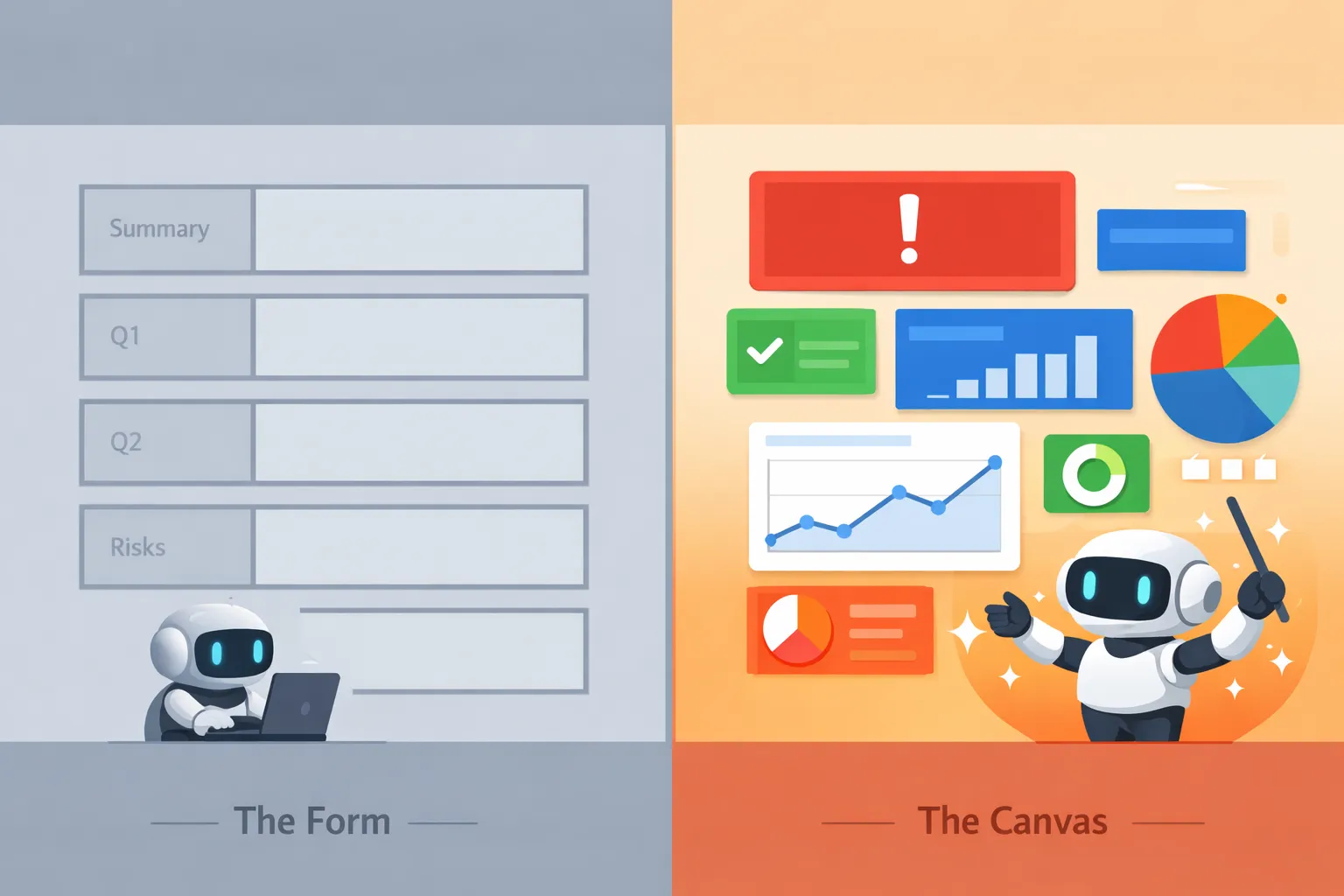
Then I noticed something: the biggest risk in my pipeline was buried in the "Risks" section alongside five minor concerns. Same font. Same box. Same visual weight.
The AI knew it was a problem. I could see it in the data. But my beautiful template treated every risk the same.
That's when I realized: I'd built a form when I should have built a canvas.
Google has a name for this now: Generative UI. Salesforce calls it Generative Canvas. The idea is simple. Instead of making AI fill slots in a fixed layout, you give it a vocabulary of components and let it decide how to compose them.
Three blocked deals? Lead with them, big and red. Healthy pipeline? Quick summary, move on. Mixed signals? Show the comparison side by side.
Same data. Different context. Different presentation.
Rebuilding my tool this way took experimentation. The API kept returning non-compliant syntax. Early versions buried important information instead of surfacing it. I went through nine prompt versions before things stabilized.
But once it worked, I started noticing things I'd missed before. That felt like progress.
Salesforce is going the same direction with Generative Canvas in Agentforce. Dynamically generated layouts, grounded in your org's Lightning components, respecting your data permissions. Same philosophy, enterprise trust built in.
Not every interface needs this. Chat is fine as a chat. Search results work as a list. But data analysis—synthesizing complex information into something actionable—needs a canvas, not a form.
Technical details and code: From Templates to Component Vocabulary